
How Much Data Do You Actually Need When Traveling?
 Owen5 min read
On this page
A single hour of TikTok scrolling can burn through more data than maps and messaging use in days. That's why travelers overbuy huge plans, or worse, buy a tiny plan and spend the trip scared to open anything.
Quick answer: how much data should you buy?
For most trips, budget about 500 MB to 1 GB per travel day if you use maps, messaging, restaurant searches, rideshare apps, email, and some social media. That means a 3-5 GB plan is usually right for one week. Move up to 7-10 GB if you make video calls, upload a lot of photos, use TikTok or Reels every day, or share hotspot data with another device.
If you're still setting up your trip, install your eSIM before departure with our eSIM installation guide, then use this page to choose the plan size. For destination-specific examples, compare the data notes in our Japan eSIM guide, Italy eSIM guide, or Thailand eSIM guide.
| Trip style | Daily data budget | One week | Good fit |
|---|---|---|---|
| Light | 200-400 MB | 1.5-3 GB | Maps, messaging, email, tickets, quick searches |
| Moderate | 500 MB-1 GB | 3.5-7 GB | Everything above plus daily social media and a few short video calls |
| Heavy | 1.5-3 GB | 10-20 GB | Video streaming, lots of Reels/TikTok, hotspot sharing, cloud photo backup |
Most people are moderate users on travel days and light users on quiet days. Start there unless you know you stream or hotspot a lot.
Which travel apps use the most data?
Maps and navigation. Navigation is not the villain. A full day of walking around Tokyo, Rome, or Bangkok with maps open usually uses less data than one short video scroll. Download offline Google Maps before your trip so map tiles are already on your phone, then save live mobile data for traffic, rideshare pickup pins, and restaurant searches.
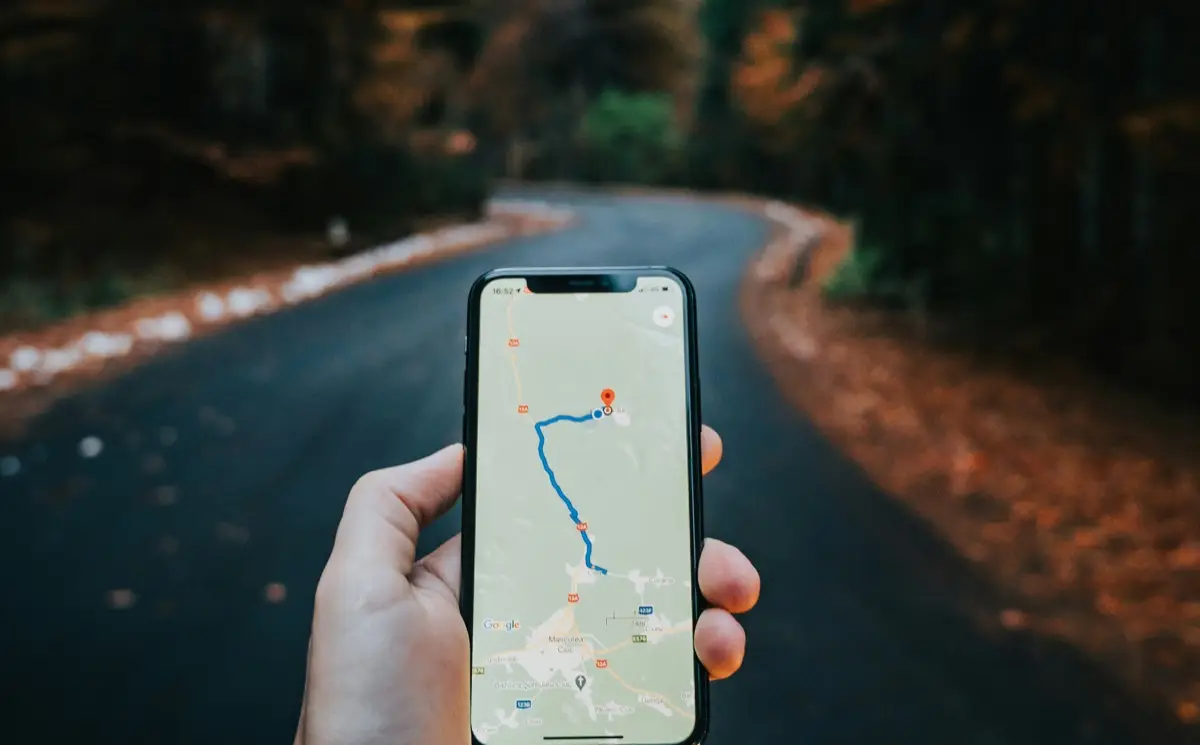
Maps are light. Video apps, cloud backup, and hotspot sharing are what change the plan size.
Messaging. Text-based WhatsApp, iMessage, Signal, or Telegram chats are tiny. Photos and voice notes add up, but messaging is rarely what kills a travel plan. Keep automatic media downloads off if you are in active group chats.
Social media. This is where the math changes. Instagram, TikTok, YouTube Shorts, and Facebook load video before you think of it as “watching video.” A casual 30-minute scroll can use a few hundred MB, especially with autoplay on. Turn on each app's data saver mode before the flight.
Video calls. Voice calls are easy on data. Video calls are not. FaceTime, WhatsApp video, Google Meet, and Zoom can use hundreds of MB per hour depending on quality and network conditions. Zoom publishes its own bandwidth requirements, which is a good reminder that video quality, gallery view, and screen sharing all change the number.
Streaming video. Streaming is the biggest predictable drain. Netflix says automatic quality can use up to about 4 hours per GB, while higher settings can use up to 3 GB per hour for HD and 7 GB per hour for Ultra HD. Download shows on hotel WiFi if you want to watch on a train or flight.
Music and podcasts. Audio is manageable, especially if you download playlists before leaving. Spotify's audio quality settings let you lower quality on mobile data, which matters if you listen for hours every day.
How do you calculate your own trip data?
Use this simple formula:
- Pick a daily baseline: 300 MB for light, 750 MB for moderate, 2 GB for heavy.
- Multiply by trip days.
- Add 1-2 GB if you will use hotspot, upload lots of photos, or take work video calls.
- Subtract nothing for hotel WiFi. Treat WiFi as a bonus, not the thing that keeps your phone usable outside.
Size the plan around your daily habits, then add a small buffer for travel days and hotspot emergencies.
Examples:
- Long weekend in Paris: 3 days × 500 MB = 1.5 GB. Buy 1-3 GB if you are careful; 3 GB if you want room.
- One week in Japan: 7 days × 750 MB = 5.25 GB. Buy 5 GB if you avoid streaming; 10 GB if you post video daily.
- Two weeks across Europe: 14 days × 750 MB = 10.5 GB. Buy around 10-15 GB or plan for a top-up.
If your trip crosses countries, start with our international travel eSIM guide so you choose coverage first and data size second.
How can you use less mobile data abroad?
Download before you go. Offline maps, playlists, podcasts, translation packs, airline apps, and Netflix downloads are boring prep that saves real data. Do it on home WiFi, not in the airport line.
Turn on data-saving settings. On iPhone, Apple's Low Data Mode reduces automatic updates and background network use. Android has similar Data Saver controls. Also disable cellular backup for Photos, iCloud, Google Photos, and WhatsApp media.
Save WiFi for heavy stuff. Use your eSIM for maps, messages, tickets, ride apps, payments, and quick lookups. Use trusted hotel or cafe WiFi for OS updates, video streaming, and bulk photo uploads. If you're deciding when WiFi is worth using, read our airport WiFi vs eSIM guide.
Check usage after the first full day. Your phone's cellular settings show data used by app. If Instagram or TikTok is already at the top, change behavior early. If maps and messaging are the top apps, you're probably fine.
Should you buy extra data just in case?
A little buffer is smart. Doubling the plan because you're nervous usually isn't.
If the price jump is small, choose the next size up for long trips, remote areas, or work travel. Otherwise, buy the plan that matches your real habits and top up if needed. Only eSIM plans support top-up, so you do not need to install a second eSIM just because you guessed low.
A good rule: buy enough data that you won't avoid maps, tickets, banking, or messaging. Save video and cloud uploads for WiFi. That's the difference between being prepared and paying for data you'll never touch.
Photo by Henry Perks on Unsplash.
Find data for your next trip
Compare coverage, data and validity before choosing your eSIM.
Browse destinationsMore for your trip

Travel Tips
Europe Summer eSIM Guide: Multi-Country Data Without the Roaming Panic
A practical Europe summer eSIM guide for rail-heavy, city-hopping trips across Italy, France, Spain, Germany, the UK, and nearby stops.
 Gisele6 min read
Travel Tips
Airport WiFi vs eSIM: Which Is Better for Travelers?
Honest comparison of airport and hotel WiFi versus eSIM cellular data for travelers. Covers speed, security risks, cost, reliability, and why we recommend having both.
Owen3 min read
Travel Tips
eSIM for International Travel: The Complete Guide
Why eSIM is replacing pocket WiFi and airport SIM kiosks. How travel eSIMs work, data-only vs voice plans, regional vs single-country options, and what to do before you board.
Owen6 min read